robinreal logo

Transform your letting with one connected platform.

Subscribe to our newsletter

Zug, Switzerland
[email protected]

Platform

Find a propertyList a propertyProperty searchPricingrobin Suite

Navigation

About usContactJobsNewsHelp

Legal

Legal noticePrivacyTermsMedia

© SwissBid GmbH. All rights reserved.

    Robin

    Describe more than a home. Describe your life.

    Robin turns a conversation in ChatGPT or Claude into a focused home search across Switzerland. Combine budget, rooms and location with your commute, important nearby places and the way you want a home to feel.

    See how it worksView example requests
    Try on ChatGPT
    Try on Claude

    Thanks for your interest — Robin will be available in Claude very soon.

    Available in ChatGPT and Claude for rental apartments and houses across Switzerland.

    Robin

    Ready for your home search

    Find me a bright 3-room apartment in Zurich under CHF 4,000, within 30 minutes of ETH with wooden flooring and with a gym nearby.
    Matching homes found

    Robin combines your must-haves with commute time, surroundings and visual preferences, then presents the results together on a map.

    ≤ 30 min to ETHBright interiorsWooden flooringGym nearby
    RecommendationsWalkthroughFeaturesSign inExamples

    The simple flow

    From an idea to a focused shortlist

    Robin keeps the context of your search while you bring the results closer to the life you want, one step at a time.

    1. 1

      Describe what you want

      Tell Robin where and how you would like to live, with as much or as little detail as you have.

    2. 2

      Explore the results

      Review the selection on the map, open listings and check the criteria that matter most to you.

    3. 3

      Refine and take action

      Adjust the search, save an interesting home or prepare a contact request when you are ready.

    Personal recommendations

    Come back to homes chosen for you

    After you sign in and create a saved Robin search profile from your Robin searches, you can ask for a fresh set of homes that fit it.

    • ✓

      Based on your saved search profile

      Robin uses the preferences you agreed to save from your Robin search history rather than unrelated conversation data.

    • ✓

      Choose best match or newest

      Best match prioritises overall fit. Newest on Robin reorders the same eligible matches by freshness.

    • ✓

      Available whenever you return

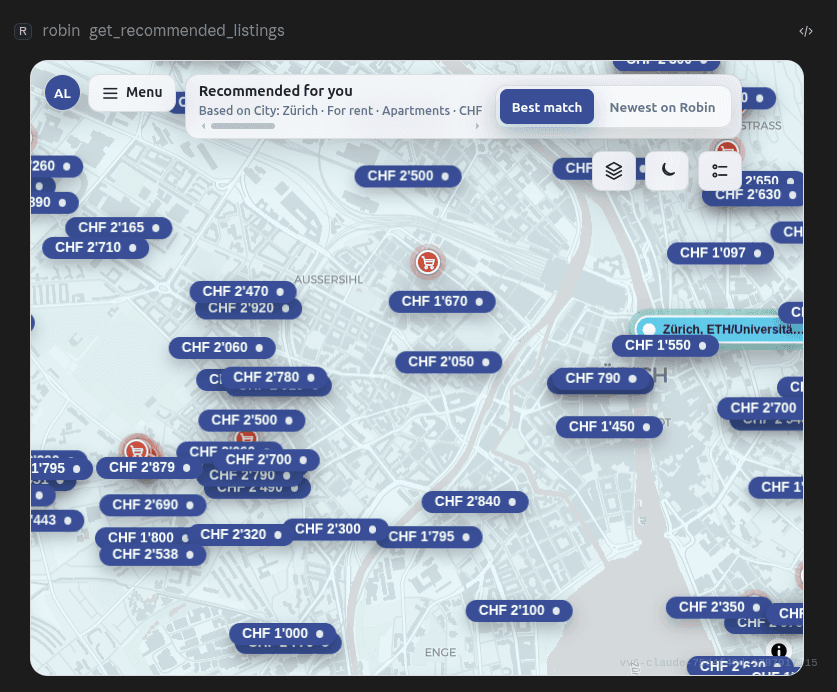
      Ask for your recommendations again to see the current matching set on the map and in the listing carousel.

    Ask Robin

    “Show my Robin recommendations and rank the best matches first.”

    Robin recommendations displayed on a map with best-match and newest controls

    Guided walkthrough

    Three moments that make your search easier

    These real examples show the search journey with Robin, from the first request to the map and a listing’s next actions.

    Step 1

    Start with the complete picture

    A useful first message combines the non-negotiable facts with softer preferences. Robin structures both for the search.

    Shown in the screenshot

    The conversation with the full request and Robin’s concise summary of the criteria it applied.
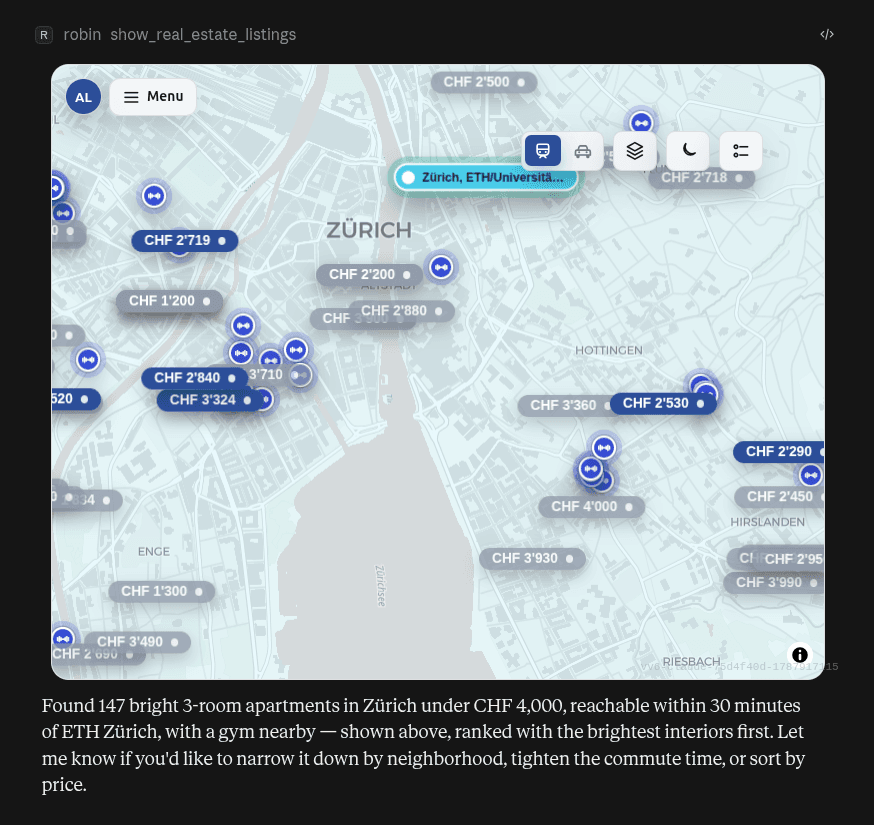
    Conversation in which Robin understands a natural-language home request

    Step 2

    Review location and choice together

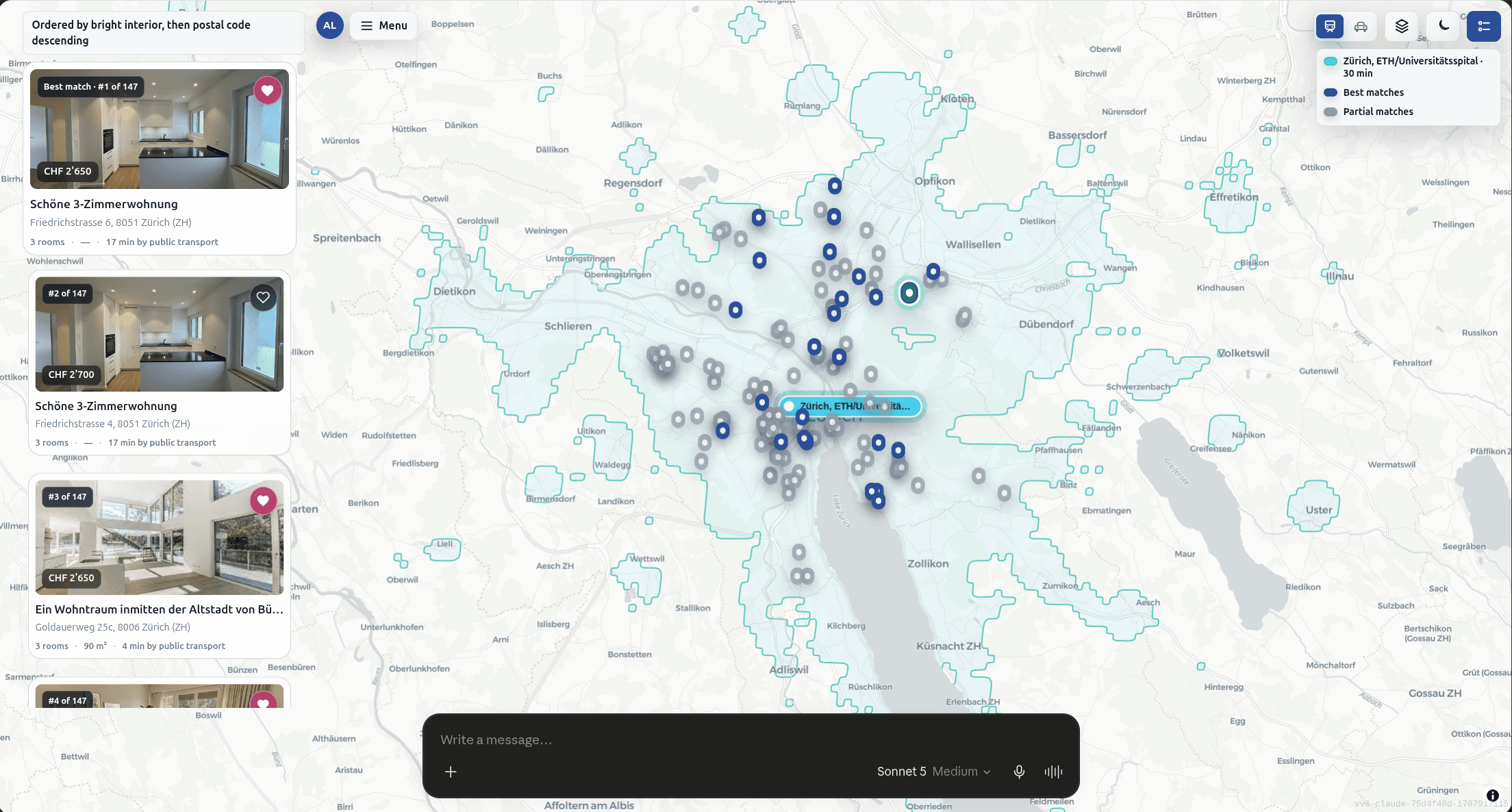
    The map shows how matches are distributed. Listing cards keep price, rooms and relevant details available alongside it.

    Shown in the screenshot

    Robin’s map with several markers and visible listing cards.

    Robin map with matching rental homes and listing cards

    Step 3

    Open a home and choose the next step

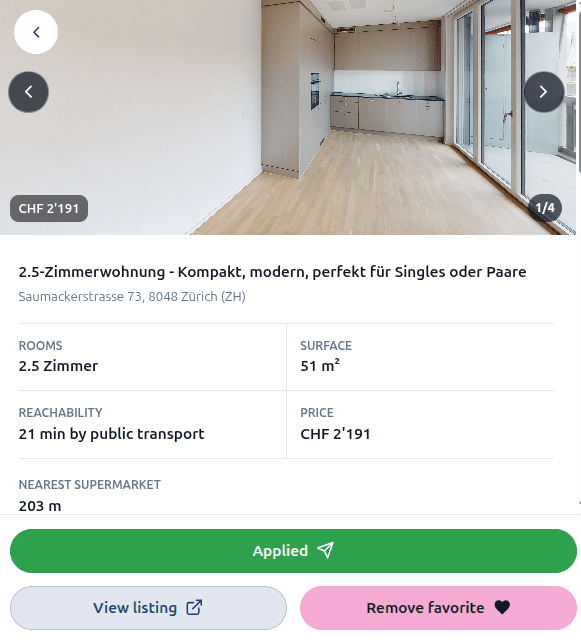
    Open a listing for more detail. If it feels right, you can save it or intentionally prepare a contact request.

    Shown in the screenshot

    An open listing with photos, key facts and clearly separated actions for saving and contacting.

    Open Robin property listing with details and user actions

    What you can do

    A search that understands more than filters

    Tell Robin what genuinely matters in your daily life. Firm requirements and personal preferences stay connected in one conversation.

    Describe it naturally

    Share the location, budget, rooms, property type and personal wishes in your own words. No complex form required.

    Search by travel time

    Search around work, university or another important place, including how you travel and the maximum journey time.

    Include everyday places

    Look for gyms, schools, shops or other places you want to have close to your next home.

    Describe how it should feel

    Add visual and atmospheric preferences such as bright rooms, modern interiors or a particular character.

    Explore results on a map

    Browse matching homes with a map and listing cards so location, price and property details stay connected.

    Refine through conversation

    Change one criterion, narrow or widen the area, or compare favourites without having to start again.

    Try out Robin

    Try on ChatGPT
    Try on Claude

    Thanks for your interest — Robin will be available in Claude very soon.

    Account connection

    Sign in when you want personal features

    You can start searching without an account. Robin asks you to sign in only when a feature needs your saved preferences or account.

    1. 1

      Ask Robin to sign you in

      Say “Sign me in to Robin”, or continue with recommendations or favourites. The secure account-linking flow opens when needed.

    2. 2

      Complete the secure sign-in

      Sign in to Robin in the window that opens and approve the connection. If you cancel, nothing is changed.

    3. 3

      Continue the same conversation

      Return to the same conversation after the connection is confirmed. Robin can then continue the account-backed request you chose.

    Signing in does not act on a listing

    Connecting your account does not save a favourite, change your profile, apply or contact an advertiser by itself. Those actions remain separate and intentional.

    Try it naturally

    Requests Robin can work with

    Start with one sentence. You can add or change individual criteria at any point in the conversation.

    “Find a bright 3-room apartment in Zurich up to CHF 4,000, within 30 minutes of ETH by public transport and with a gym nearby.”

    Budget · commute · visual preference · surroundings

    “Show family-friendly homes with at least 3.5 rooms around Basel, near a school and a park, with rent up to CHF 3,200.”

    Family · rooms · important places · budget

    “Look for a quiet 2-room apartment between Lausanne and Vevey, near a station, ideally with a balcony and a lake view.”

    Region · transport · atmosphere · view

    You stay in control

    Searching is easy. Actions stay intentional.

    Robin separates exploration from personal account actions and external contact requests, so you always know what will happen next.

    Search without an account

    You can search for homes and explore results before connecting a Robin account.

    Connect only when needed

    For personal features such as favourites, Robin may ask you to connect your account securely.

    Contact requires confirmation

    Robin does not send a request to an advertiser until you explicitly confirm that specific action.

    Your next home search can be a conversation.

    Start with what matters to you. Robin helps turn it into a clear selection and refine it one step at a time.

    Try on ChatGPT
    Try on Claude

    Thanks for your interest — Robin will be available in Claude very soon.

    Ask robinFind a propertyList a property
    About us

    Learn more about our team and mission.

    Pricing

    View our current pricing plans.

    Contact

    Get in touch with us.

    Help & support

    FAQ and support centre.

    Jobs

    Career opportunities at robinreal.